One of the best things about the Fediverse is that conversations happen everywhere, across Mastodon, WordPress, Pixelfed, and dozens of other platforms. One of the trickiest things about the Fediverse is finding those conversations in the first place.

Hashtags have always been the Fediverse’s answer to discovery. But because the network is decentralized, the posts you see for any given hashtag depend on which servers yours already knows about. If nobody on your server follows someone who posted about #WordPressFederation, you’ll never see that post, even though it’s public and out there.
tags.pub changes that.
What Is tags.pub?
tags.pub is a global hashtag server built by the Social Web Foundation, a nonprofit dedicated to growing the open social web, and an organization Automattic is proud to partner with.
The idea is simple: tags.pub collects publicly posted content from across the Fediverse and redistributes it based on hashtags. When you follow a hashtag account like @photography@tags.pub, you’ll see posts tagged #photography from servers your instance might never have heard of. It fills in the gaps that decentralization naturally creates.
The project is open source (AGPL-3.0), privacy-conscious, it doesn’t store post content, images, or media, and respects user controls like #NoTagsPub and #NoBots opt-outs.
How It Works on WordPress.com
If you’re running a WordPress.com site with the ActivityPub plugin, there’s nothing to configure. tags.pub already works out of the box. Your public posts and their hashtags are discoverable across the Fediverse through tags.pub, and you can follow hashtag accounts from your Following page.
Connecting a Self-Hosted WordPress Site
For self-hosted WordPress sites, head to Settings → ActivityPub → Settings and scroll to the Relay section. Add one of these URLs:
- Inbox:
https://tags.pub/user/_____relay_____/inbox - Shared Inbox:
https://tags.pub/shared/inbox
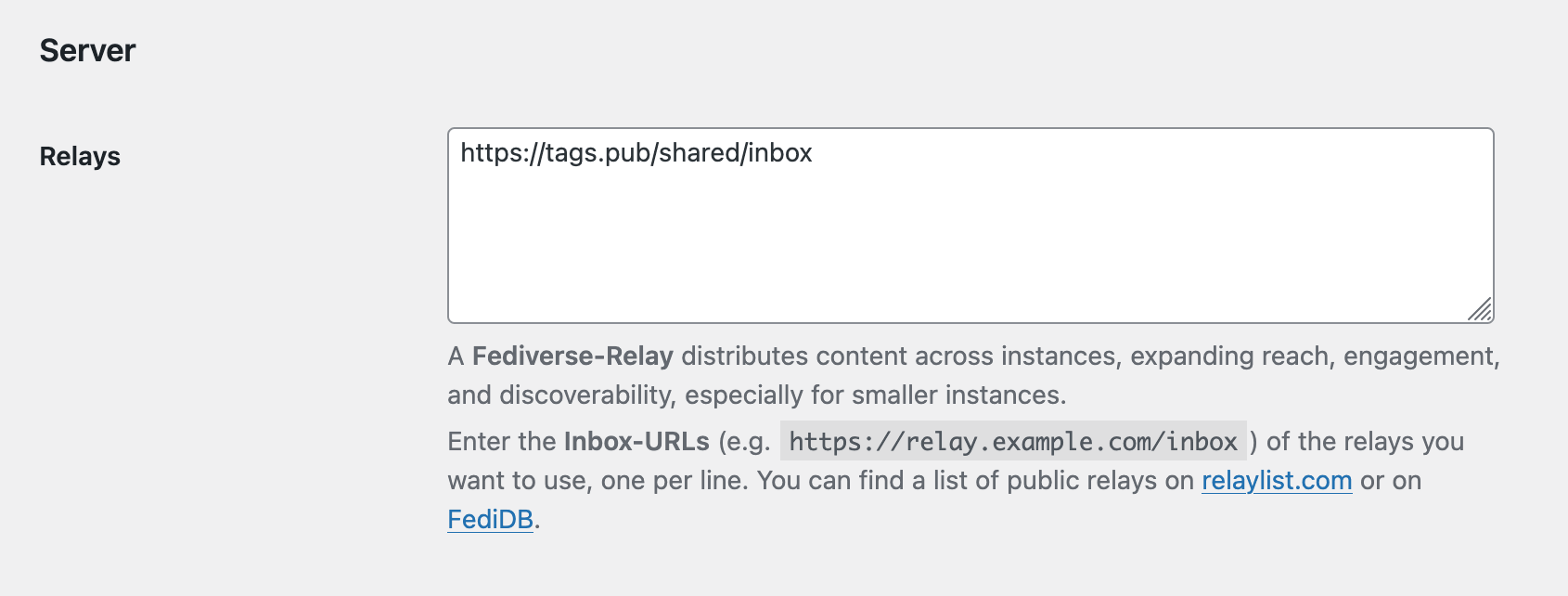
This creates a one-way connection where your server sends public posts to tags.pub for hashtag distribution, and your posts become part of the global hashtag network.
Following Hashtags
Once connected, you can also follow specific hashtags by searching for them as accounts. For example, to follow #WordPress posts from across the entire Fediverse, follow:
@wordpress@tags.pub
Any publicly tagged post that reaches tags.pub will be boosted by that account into your timeline. When posts are edited or deleted, tags.pub updates accordingly.
Privacy and Control
tags.pub is designed with user agency in mind:
- Opt out anytime by adding
#NoTagsPubor#NoBotsto your bio, your posts won’t be boosted. - Block the domain entirely if you prefer not to interact with the service at all.
- No content storage, tags.pub doesn’t archive your posts, images, or media. It only maintains boost records.
- Respects blocks, if someone blocks tags.pub, their content stays out.
A Step Toward Better Discovery
Discoverability is one of the areas we’ve identified on our 2026 roadmap as a key challenge, and services like tags.pub are exactly the kind of infrastructure that helps solve it. By connecting WordPress sites to a global hashtag network, your posts can reach people who care about the same topics, even if they’ve never heard of your blog before.
If you’re already using ActivityPub for WordPress, connecting to tags.pub takes less than a minute. Give it a try and let us know how it works for you. Have you noticed more engagement from the wider Fediverse? We’d love to hear about your experience.


 ActivityPub for WordPress