Tag: WordPress

  • 5.9.0 – Easier Onboarding for Your Fediverse Experience

    Getting started with ActivityPub on WordPress just got a lot easier. A new guided onboarding experience is now part of the plugin, designed to help you configure key settings and understand how your site connects to the Fediverse—from the moment you activate it.

    Screenshot that shows the onboarding checklist.

    Whether you’re new to ActivityPub or just setting things up again, the onboarding flow helps you make informed choices around visibility, content formatting, and profile setup. It’s built to give you confidence that your content is reaching the right audiences in the right way.

    Screenshot that shows the new help tabs.

    Tailored for You

    The plugin now adapts its behavior based on the caching plugins you have installed. You’ll also find clearer guidance if you’re using Surge, and an option to fine-tune how your content is tailored for browsers versus Fediverse services.

    We’ve moved profile-related settings out of the welcome page and into new dashboard widgets, so they’re easier to find and update. And to make the learning curve smoother, the Help tab now includes a section explaining how ActivityPub works on the users page.

    Media, Previews, and Performance

    Beyond onboarding, this release adds support for audio and video attachments in ActivityPub embeds and previews. Posts shared to the Fediverse can now include up to four images, and you can choose how many to include on a per-post basis. Editor previews have also been improved—they now show media even if the post hasn’t been published yet.

    Screenshot that shows the preview feature.

    For performance, author profiles now return a smaller set of extra fields (up to 20) to avoid bloated responses, and invalid items in the Outbox are skipped gracefully instead of causing errors.

    Designed to Grow With You

    This update also brings better mobile support for settings pages, improved documentation, and more robust error handling for things like missing or misformatted Outbox requests. And for developers, several filters and hooks have been updated or deprecated to make future work smoother and more predictable.

    If you’ve been curious about joining the Fediverse or connecting your blog in a more structured way, now’s a great time to try it. Just activate the plugin and let the onboarding guide you through the rest.

    Tried the new onboarding? Let us know how it worked for you and what you’d like to see improved.

    Full Changelog

    Added

    • ActivityPub embeds now support audios, videos, and up to 4 images.
    • Added a check to make sure we only attempt to embed activity objects, when processing fallback embeds.
    • Add setting to enable or disable how content is tailored for browsers and Fediverse services.
    • Adjusted the plugin’s default behavior based on the caching plugins installed.
    • A guided onboarding flow after plugin activation to help users make key setup decisions and understand Fediverse concepts.
    • Author profiles will cap the amount of extra fields they return to 20, to avoid response size errors in clients.
    • Fediverse Preview in the Editor now also supports video and audio attachments.
    • Guidance for configuring Surge to support ActivityPub caching.
    • Help tab section explaining ActivityPub capabilities on the users page.
    • Profile sections have been moved from the Welcome page to new Dashboard widgets for easier access.
    • The ActivityPub blog news feed to WordPress dashboard.
    • The Outbox now skips invalid items instead of trying to process them for output and encountering an error.

    Changed

    • Batch processing jobs can now be scheduled with individual hooks.
    • Better error handling when other servers request Outbox items in the wrong format, and 404 pages now show correctly.
    • Fediverse Previews in the Block Editor now show media items, even if the post has not been published yet.
    • Hide interaction buttons in emails when the Classic Editor is used.
    • Improve compatibility with third-party caching plugins by sending a Vary header.
    • Much more comprehensive plugin documentation in the Help tab of ActivityPub Settings.
    • NodeInfo endpoint response now correctly formats localPosts values.
    • Reactions block heading now uses Core’s heading block with all its customization options.
    • Settings pages are now more mobile-friendly with more space and easier scrolling.
    • The number of images shared to the Fediverse can now be chosen on a per-post basis.
    • Updated default max attachment count to four, creating better-looking gallery grids for posts with 4 or more images.
    • Use a dedicated hook for the “Dismiss Welcome Page Welcome” link.
    • Use FEP-c180 schema for error responses.
    • Use Audio and Video type for Attachments, instead of the very generic Document type.

    Deprecated

    • Deprecated rest_activitypub_outbox_query filter in favor of activitypub_rest_outbox_query. Deprecated activitypub_outbox_post action in favor of activitypub_rest_outbox_post.

    Fixed

    • Broken avatars in the Reactions and Follower block are now replaced with the default avatar.
    • Email notifications for interactions with Brid.gy actors no longer trigger PHP Warnings.
    • Improved support for users from more Fediverse platforms in email notifications.
    • Improved the handling of Shares and Boosts.
    • Issue preventing “Receive reblogs (boosts)” setting from being properly saved.
    • Mention emails will no longer be sent for reply Activities.
    • Prevent accidental follower removal by resetting errors properly.
    • Properly remove retries schedules, with the invalidation of an Outbox-Item.
    • The blog profile can no longer be queried when the blog actor option is disabled.

    Downloads

  • Your Site, Your Rules: Filtering Fediverse Activity

    When running a WordPress site with the ActivityPub plugin, you’re not just managing a website—you’re also operating a node in the Fediverse. This means you need effective tools to block unwanted activities, users, servers, and content from other instances across the network.

    How Blocking Works in ActivityPub for WordPress

    The ActivityPub plugin takes a pragmatic approach to blocking unwanted content by building on WordPress’s existing “Disallowed Comment Keys” feature. While this leverages familiar comment filtering tools, it may be less immediately obvious than the dedicated blocking interfaces found in some other Fediverse applications.

    The Disallowed Comment Keys System

    At its core, WordPress has long had a built-in system to filter comments based on specific keywords or domains. The ActivityPub plugin builds on this system to also block incoming Fediverse activities.

    When an activity arrives at your WordPress site’s inbox, the plugin runs it through the same filtering mechanism used for regular WordPress comments. This means that if you’ve configured WordPress to block certain domains or keywords in comments, those same rules will apply to incoming ActivityPub activities like follows, likes, or replies.

    Where to Find and Configure Blocking Settings

    The blocking settings aren’t located within the ActivityPub plugin’s own settings page. Instead, they’re accessed through WordPress’s standard Discussion Settings:

    1. Navigate to Settings → Discussion in your WordPress admin panel.
    2. Scroll down to the Disallowed Comment Keys section.
    3. Add domains, keywords, or IP addresses you want to block, one per line.

    For example, to block a problematic Fediverse server, you would add its domain (like bad-instance.com) to the disallowed comment keys list.

    The ActivityPub settings page also links to this under Settings → ActivityPub → Settings tab, where the “Blocklist” section points you to the same Disallowed Comment Keys setting.

    Tracking Blocked Activities

    When the plugin blocks an incoming activity, it logs relevant details to your PHP error logs. This typically includes information about the actor (user) who sent the activity, helping you monitor and refine your blocking strategy over time.

    Best Practices for Blocking

    When managing your WordPress site as a Fediverse node:

    1. Be specific: Block particular profiles or domains instead of using broad keyword filters. Precision helps avoid false positives.
    2. Review your logs: Periodically check your PHP error logs to understand what’s being blocked.
    3. Adjust as needed: Refine your blocking strategy based on the patterns you observe.

    Unlike centralized social networks, the Fediverse gives you direct control over what appears on your site. Your blocklist is a reflection of your site’s values and the kind of interactions you want to support.

    Fediverse Reactions
  • From Toot to Post: Mastodon Migration Made Easy

    If you’ve been posting on Mastodon and want to bring those posts into your WordPress site, the new importer makes that possible. It’s a beta feature, but it already handles the basics well—and helps you keep more of your content in one place.

    Keep What You Create

    Social platforms can come and go—or just change in ways you didn’t expect. Maybe your Mastodon server shuts down, or the people running it move on. When that happens, it’s easy to lose your old posts and the history you’ve built up.

    The Mastodon importer helps you take control by bringing your posts into your WordPress site, where you own the content and can decide how it’s stored, shared, and presented. You’re not just copying things over—you’re giving your content a more permanent home.

    Getting Started

    The import process is user-friendly and follows a clear workflow:

    1. Log into your Mastodon account and go to Preferences > Import and Export.
    2. Request your archive and download the ZIP file when it’s ready.
    3. Open the WordPress Mastodon Importer and upload your file.
    4. Choose an author for your imported posts and decide whether to include media files or just the text.

    Once uploaded, you can assign imported posts to a specific author and choose whether to include image attachments with your posts or just import the text content.

    The importer processes your posts from the Mastodon outbox.json file, filtering to include only public posts while skipping boosts. Each post maintains its original publication date, content, and media. If your posts include images, video, or audio, the importer brings those in too and adds them to the post automatically.

    Your Posts, Rebuilt

    The importer transforms your Mastodon content into a rich block editor experience. Your posts convert into proper paragraph blocks while maintaining their original formatting. Images are organized into gallery blocks with captions intact, while videos and audio files transform into their respective media blocks for optimal playback.

    Hashtags from your Mastodon posts are converted to WordPress tags, preserving your content’s organizational structure and discoverability.

    When a post is part of a conversation, the importer adds a reply block at the beginning of your post that embeds the original post you were responding to. This keeps the conversation flow clear and provides context for your response.

    All these blocks remain fully editable after import, so you can tweak layouts or adjust media presentation as needed.

    For classic editor users, the importer keeps things simple with standard shortcodes for media. It’s not as fancy as the block version, but it should work reliably with your existing setup.

    It’s a Beta—Your Feedback Counts

    The Mastodon importer is still in beta, and there’s more work ahead—especially when it comes to large archives and better handling of replies. We’ve followed WordPress importer best practices, but real-world use is where things really get tested.

    Tried the importer? Let us know how it went—what worked, what didn’t, and what you’d love to see next. Your feedback helps shape where we take it from here.

  • V5.8.0 – If it’s on the Fediverse, you can embed it.

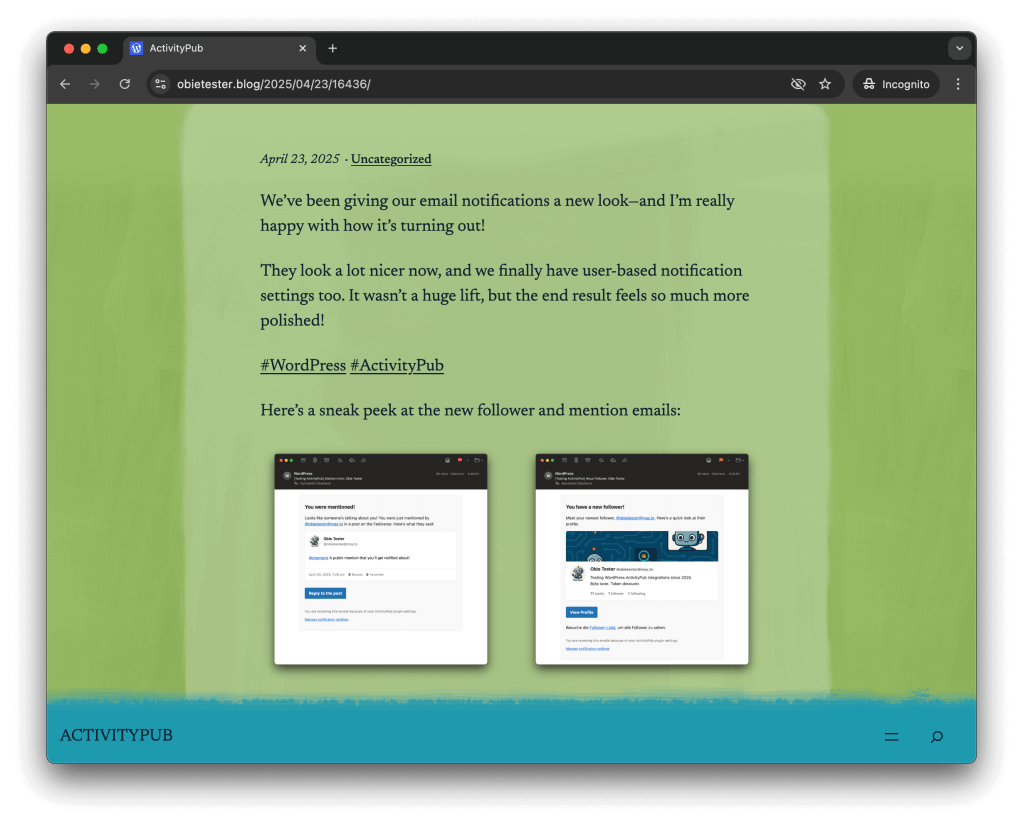
    This update introduces two exciting improvements: brand-new email templates and personalized notification settings.

    Emails now deliver much richer content—mentions and direct messages include the full post, and the refreshed design feels modern and refined. Additionally, new follower notifications feature a profile card, making it easier to see who’s interacting with your content.

    We’ve made several improvements around Embeds and Importing: Fediverse content embedding now has fallback support, so even if native oEmbed responses are unavailable, embeds will appear consistently. The Mastodon importer has also been significantly enhanced—it now imports all media types, supports user blocks, and automatically embeds replies in imported conversations, making transitions smoother and content richer.

    For Email Notifications, you’ll now receive alerts whenever someone mentions you in the Fediverse. Direct message notification emails have been upgraded with embedded message previews, and follower notification emails received a visual refresh with helpful meta details included.

    We’ve also refined User Interactions and Moderation by integrating WordPress’s disallowed list to prevent unwanted ActivityPub interactions. Notification preferences have become user-specific, allowing more personalized control over alerts and interactions.

    Additionally, we’ve improved Compatibility and Stability, including better support for Multisite Language Switcher, resolving PHP warnings during Mastodon import processes, enhancing user context handling in Global-Inbox actions, and ensuring reply links and popup modals are properly translated for logged-out visitors.

    Full Changelog

    Added

    • An option to receive notification emails when an Actor was mentioned in the Fediverse.
    • Enable direct linking to Help Tabs.
    • Fallback embed support for Fediverse content that lacks native oEmbed responses.
    • Support for all media types in the Mastodon Importer.

    Changed

    • Added WordPress disallowed list filtering to block unwanted ActivityPub interactions.
    • Mastodon imports now support blocks, with automatic reply embedding for conversations.
    • Tested and compatible with the latest version of WordPress.
    • Updated design of new follower notification email and added meta information.
    • Update DM email notification to include an embed display of the DM.
    • Updated notification settings to be user-specific for more personalization.

    Fixed

    • Add support for Multisite Language Switcher
    • Better check for an empty headers array key in the Signature class.
    • Include user context in Global-Inbox actions.
    • No more PHP warning when Mastodon Apps run out of posts to process.
    • Reply links and popup modals are now properly translated for logged-out visitors.

    Downloads