Tag: Mastodon

  • Your WordPress Site — From RSS Feed to Social Account

    Radical Speed Month is over, and today we’re releasing the work to the public. For four weeks, we built out the WordPress.com Reader so it can read and write across three networks (Bluesky, Mastodon, and the Fediverse), all from one place. The new Social Feeds section in the Reader’s sidebar is now live for everyone.
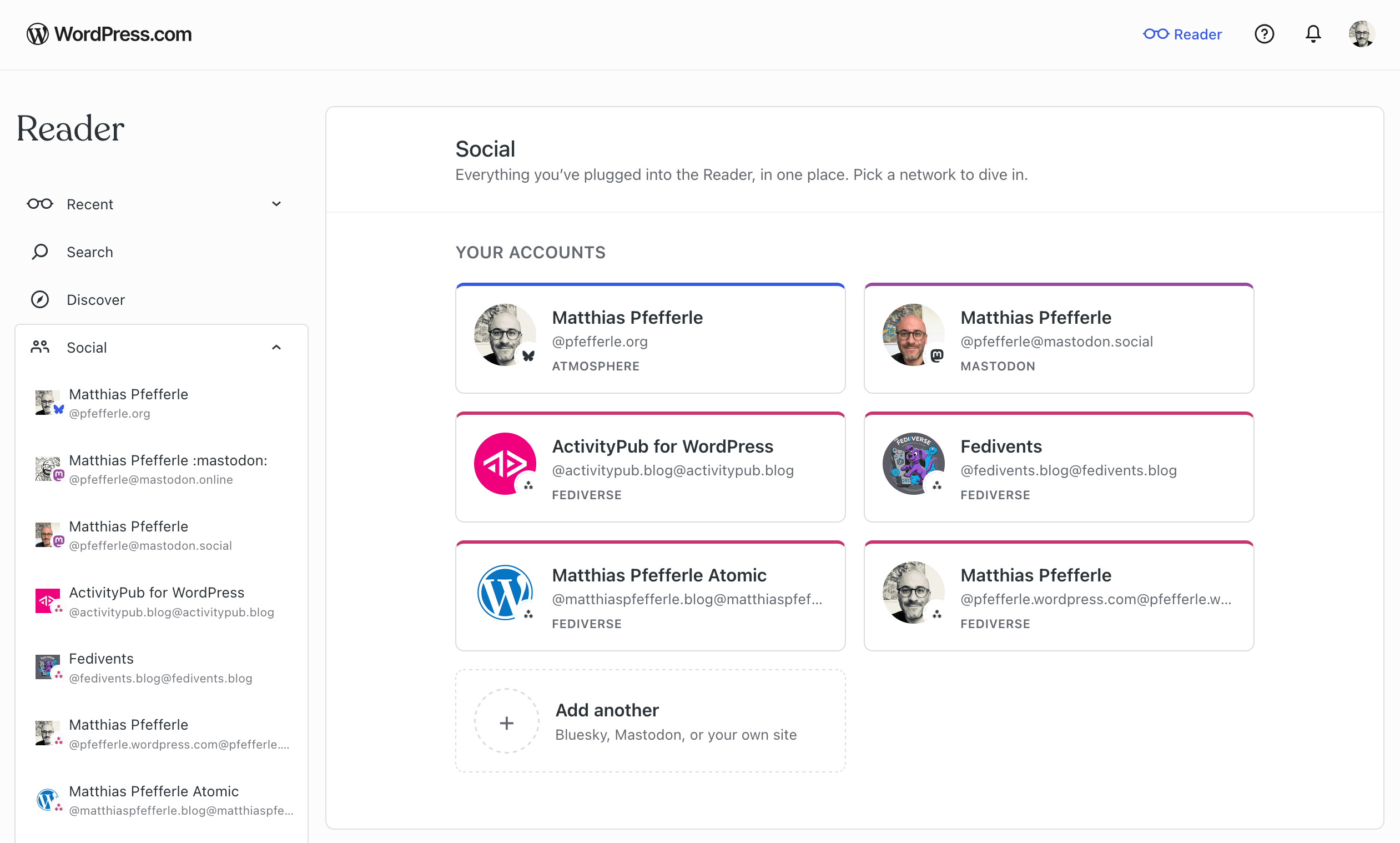
    A screenshot of the Readers new Connection site.

    A full write-up will follow next week on the WordPress.com blog, covering the full experience across all three networks.

    We’ve had a few excursions on this blog lately (Radical Speed Month, ATmosphere 1.0.0), so we want to bring the focus back to ActivityPub and the plugin.

    The plugin’s ActivityPub API now powers its first real production client: the WordPress.com Reader. As a WordPress.com user, you can now read, follow, and post across the Fediverse through your WordPress blog, with every interaction tied to your blog’s own ActivityPub identity, and it all sits next to the rest of your Reader.

    At the moment, this works for WordPress.com and Jetpack-connected sites (Jetpack may take a few more days to roll out fully), with self-hosted blogs coming next. Beyond that, the goal is to support any site that speaks the API. The Reader is the first client we’ve built on it, and what we learn here will also feed into the broader WordPress reading experience.

    Your WordPress site, inside the Reader

    If your WordPress.com site has joined the Fediverse, it shows up in the Reader’s new Social Feeds section automatically, next to any Bluesky or Mastodon accounts you’ve connected.
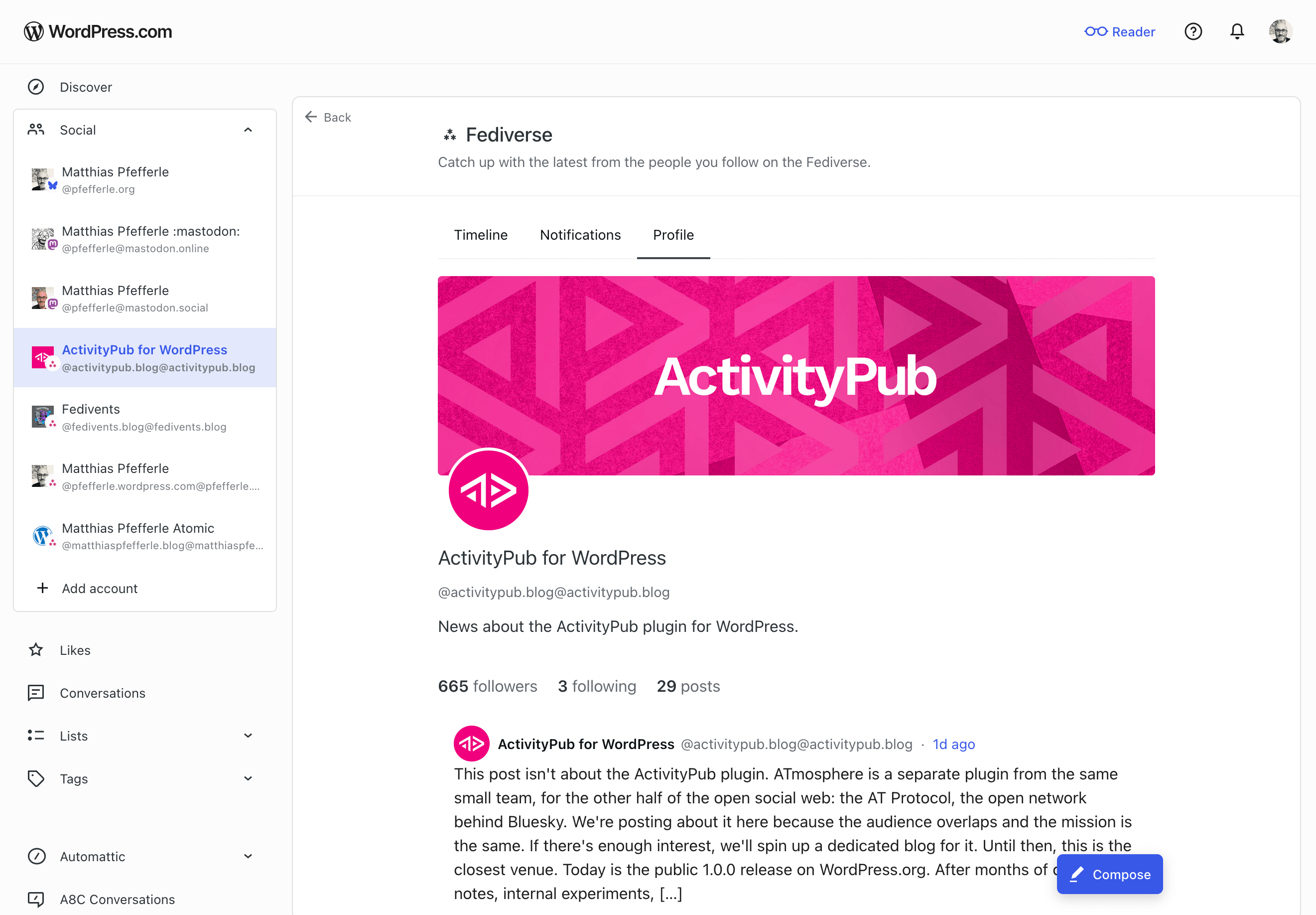
    A screenshot of the Social Profile of the ActivityPub.blog Blog.

    Open it from the sidebar and you’ll land on a dedicated view of your blog’s Fediverse activity. The help center has the full walk-through. Here’s what you can do there:

    • Read posts from accounts your site follows.
    • See your followers and the accounts your site follows back.
    • Follow new Fediverse accounts.
    • Publish short posts. Past the character limit, the composer offers to move your draft to the block editor.
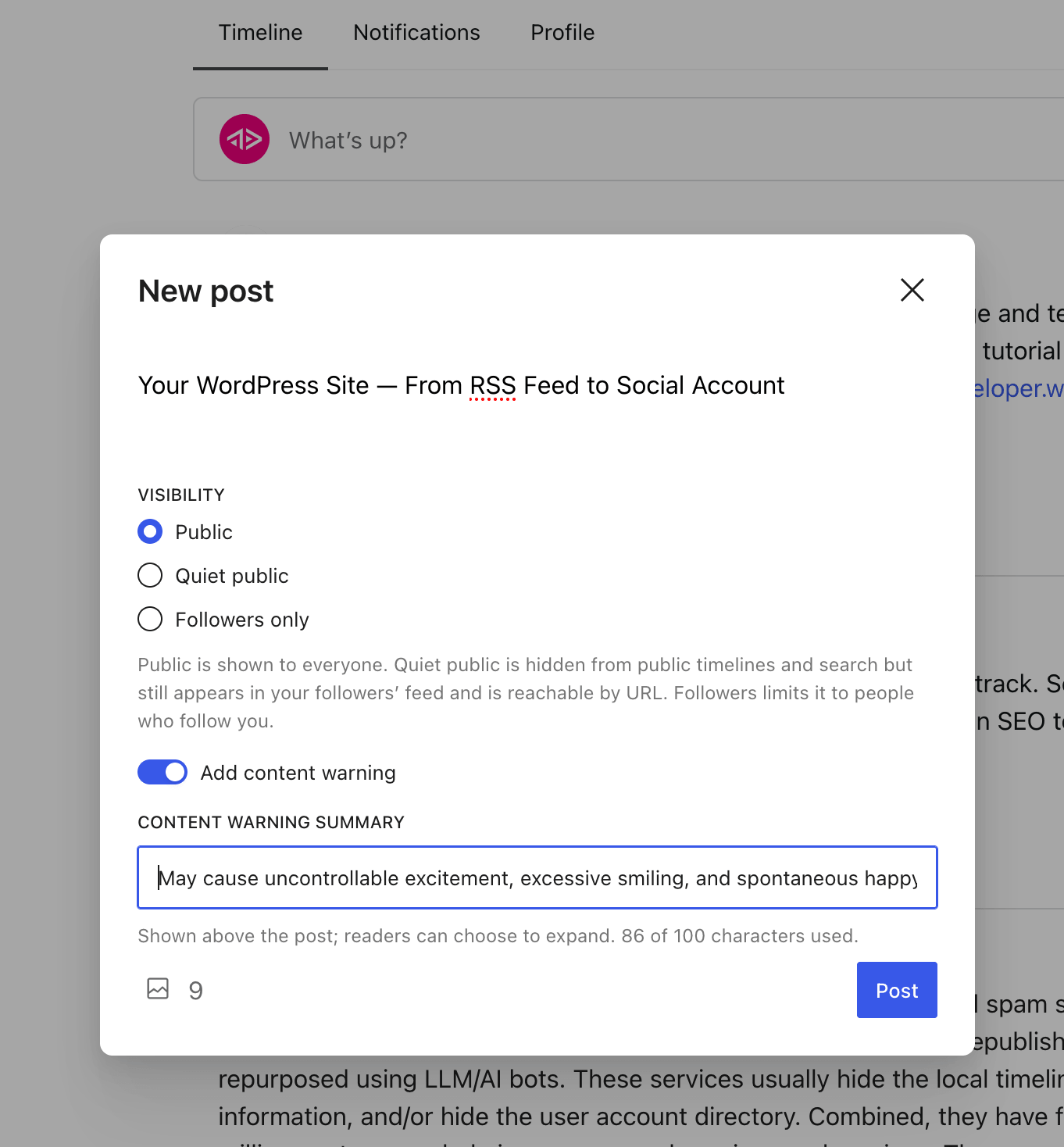
    A screenshot of the "new post" screen inside the Reader.
    • Get notifications when someone follows you, mentions you, replies to a post, likes one, or boosts one.
    • Tap a @mention to open that person’s profile inside the Reader.

    All of this goes through the ActivityPub API on the plugin side. The plugin handles the rest: publishing, signing, federating, receiving. The same machinery your site has always used.

    What’s not in this release yet

    A few things still need work on the plugin or spec side before they land here:

    • Liking, boosting, and replying to other people’s posts. Those land slice by slice over the next releases.
    • Media in posts you publish from the Reader. Text only for now. The block editor stays the place for images.
    • Connecting from a self-hosted WordPress site. For now, the Reader only reaches WordPress.com and Jetpack-connected sites. Self-hosted is next.

    What this means for the plugin

    The plugin’s ActivityPub API has been experimental since 8.1.0. The Reader is the first product to drive it with real users, and that changes two things.

    First, anyone building (or thinking about building) an ActivityPub client now has a real, working server to develop against. The plugin handles publishing, signing, and federation; a third-party client only needs to worry about its own surface. That means more clients become possible, and the people running the plugin get more ways to use their site, beyond the Reader.

    Second, real traffic finds the kind of edge cases test cases never do. Authentication quirks, payload shapes, error paths, the things that only show up at scale. Every bug that comes out of real use is one we can fix, and the plugin becomes more reliable for everyone who runs it.

    The spec evolves, and we follow

    The ActivityPub API in the plugin is still experimental, and the wider spec is still being worked on. The W3C Social Web Community Group and its ActivityPub API task force are addressing the gaps real clients run into. We follow that work and join in where we can help.

    A few topics worth watching:

    • Server-local metadata on foreign objects (activitypub-api#60): how a server can pass on what it knows locally about a post (replies, likes, shares, plus a small “did this caller interact” note) when a client fetches it.
    • Announce side-effects from the client side (activitypub/#512): what the outbox should do to the local shares collection when a client posts an Announce.
    • The baseline profile (SWICG activitypub-api): what a server should tell clients about itself, and what a client should be able to count on.

    If any of these are interesting to you, the discussions are open. Your feedback is welcome.

    Try it

    If your WordPress.com site is Fediverse-enabled, open the Reader and find your site under Social Feeds. Try following someone, or publishing a short note. The full walk-through is in the help center.

    If you run the plugin on a self-hosted site, the same ActivityPub API is available to you, just off by default while it’s experimental. You can turn it on under Settings → ActivityPub, in the Advanced tab. If the Advanced tab isn’t showing, enable it from Screen Options at the top-right of the page first. The Reader doesn’t reach self-hosted sites yet, but once the API is on, any client that speaks it can already talk to your site.

    If something doesn’t work, leave a comment, open an issue on the plugin’s GitHub repository, or reply on the Fediverse. What would you like to see next?

  • Radical Speed Month — The Reader Meets the Fediverse

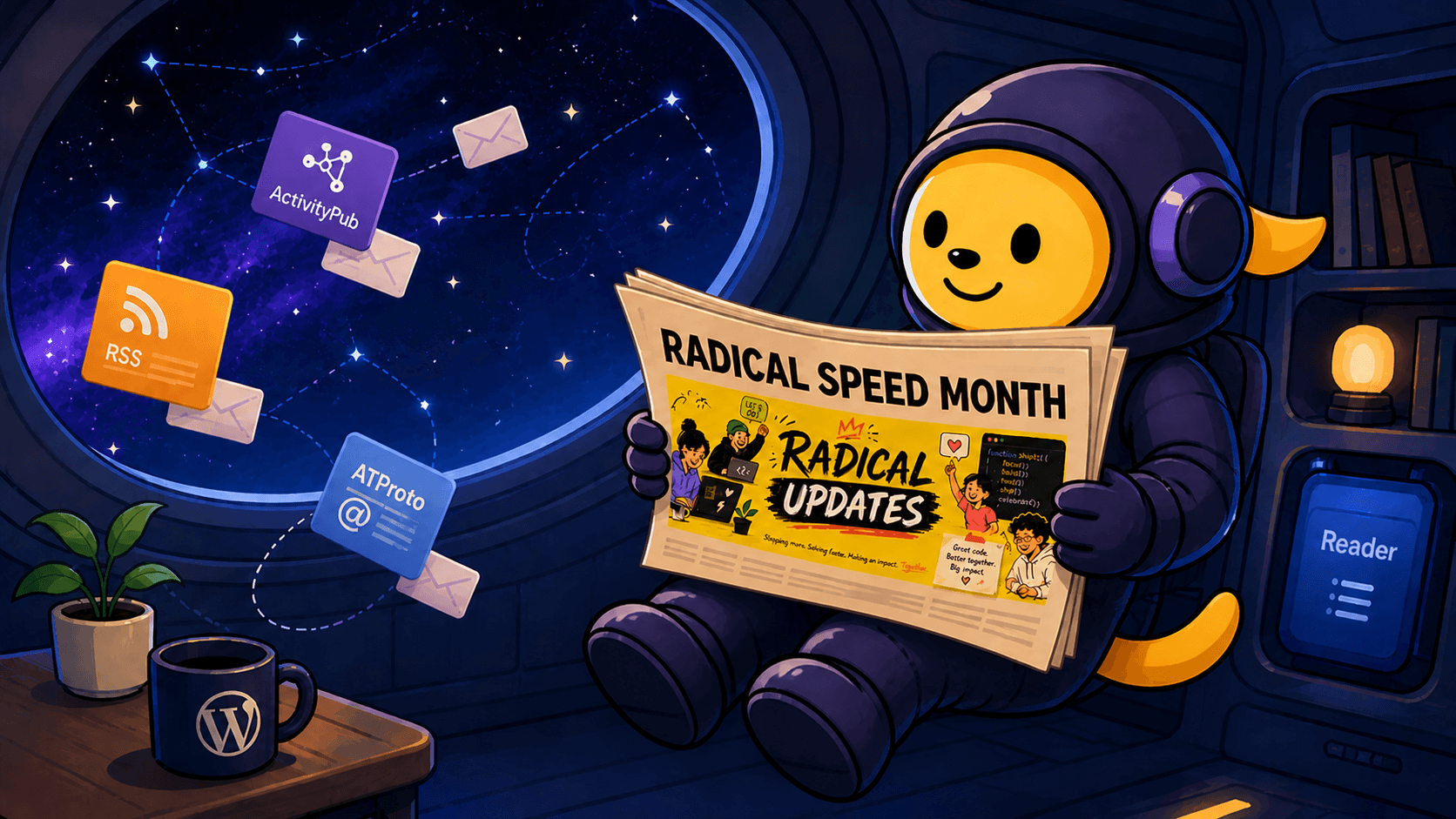
    Wapuu in a space suit floats inside a spaceship, reading a newspaper with a “Radical Speed Month” headline and a yellow update graphic, while message cards for RSS, ActivityPub, and ATProto drift in through a window showing space.

    This post is about work happening on WordPress.com, specifically the Reader, the long-running subscription-and-reading surface that’s been part of WordPress.com since 2008. It’s a sibling effort to the ActivityPub plugin, not a feature of it. We think it matters to plugin readers anyway, because the two pieces are converging, and the converging point is what we’ll be working on next.

    Two weeks ago, Automattic kicked off something internally called Radical Speed Month, a four-week sprint where small teams ship fast on focused projects. We (@jeremy and @pfefferle) took the chance to spend it on something that’s been sitting at the edge of the Fediverse-and-WordPress conversation for a while: making the WordPress.com Reader speak Fediverse.

    Today is roughly the halfway mark, and the picture is clearer than we expected. Here’s what shipped, what’s in flight, and what’s still ahead.

    The thesis

    The Reader on WordPress.com has held a single, useful role for over a decade: it’s where your subscriptions live. Blogs, podcasts, RSS feeds. What it hasn’t done, yet, is read the open social web. Your Mastodon timeline lives in another app. Your Bluesky timeline lives in a third. The Fediverse is out there, and the Reader stays over here.

    The Radical Speed Month bet: ship three protocol adapters in four weeks, and prove the Reader can become a universal aggregator. RSS / Google Reader API (so any reader app can use WordPress.com as a sync backend), ActivityPub (so Mastodon, Pixelfed, and friends show up natively), and ATProto / Bluesky (because that’s where a real chunk of the social-web conversation has gone). One Reader, every protocol you care about.

    If you’ve been following the ActivityPub plugin for a while, you already know one half of this story, your blog speaking out to the Fediverse. The other half is reading in, and that’s where this month’s work concentrates.

    What’s already landed

    Reader as a sync backend

    Any Google Reader-compatible app can now point at WordPress.com and use it as a sync backend. That includes Reeder, NetNewsWire, ReadKit, lire, Unread, Fiery Feeds, Feed Me, and Read You. The auth onboarding is short, and your subscriptions, read state, and stars sync across whichever app you actually like. We’re working on a setup guide that walks through the steps for the most common apps; it should land soon.

    This wasn’t directly Fediverse work, but it’s part of the same idea: the Reader as a backend, not a destination. If your reading habit lives in a different app, that’s fine. Your subscriptions still live on WordPress.com.

    Bluesky timelines, threads, and profiles

    The Bluesky / ATProto adapter has moved further than the original plan suggested.

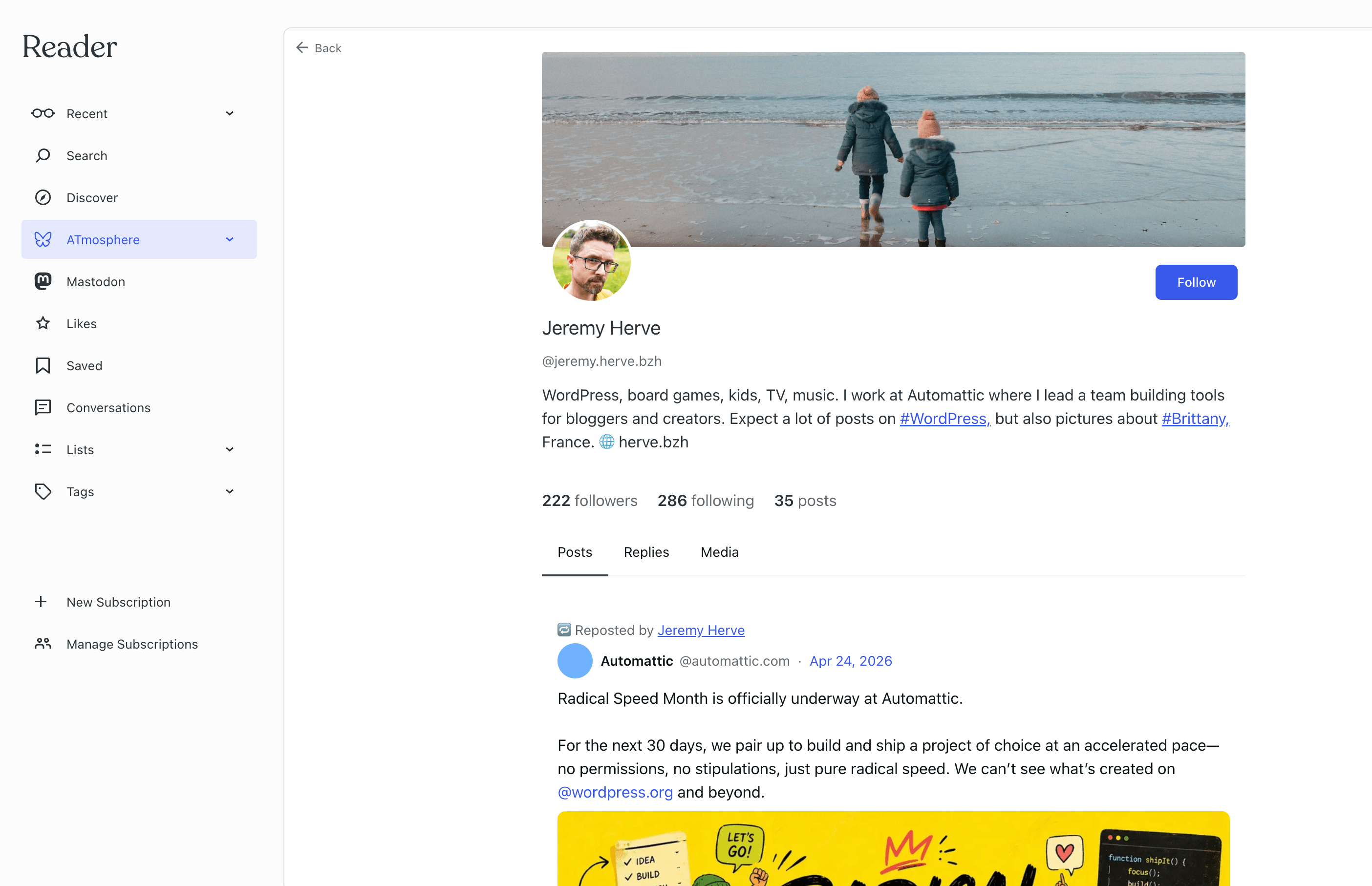
    The image shows Jeremy Herves Bluesky profile in the reader.

    You can:

    • Connect a Bluesky account through the Reader’s connections panel, with a Verify step that confirms the handshake works on both sides.
    • Read your Bluesky home timeline as a tab in the Reader, with native rendering for facets, embeds, and quote posts.
    • Follow links inward, opening a thread in the Reader, viewing an author’s profile, browsing their posts / replies / media filter tabs, following a hashtag.
    • Follow and unfollow Bluesky accounts directly from the profile pages.
    • Like posts, repost posts, and reply to posts. A shared composer for replies is in late review.

    The remaining piece on the Bluesky side is quote-posting and deleting your own posts, which we’re shipping together. After that, Bluesky is a complete first-class tab in the Reader.

    Mastodon, the same shape

    Mastodon followed the same pattern: connect, verify, then a steady cadence of small additions like timeline, in-app threads, author profile and feed (with Posts / Replies / Media filter tabs), and tag and hashtag feeds. All of those are live for Mastodon today.

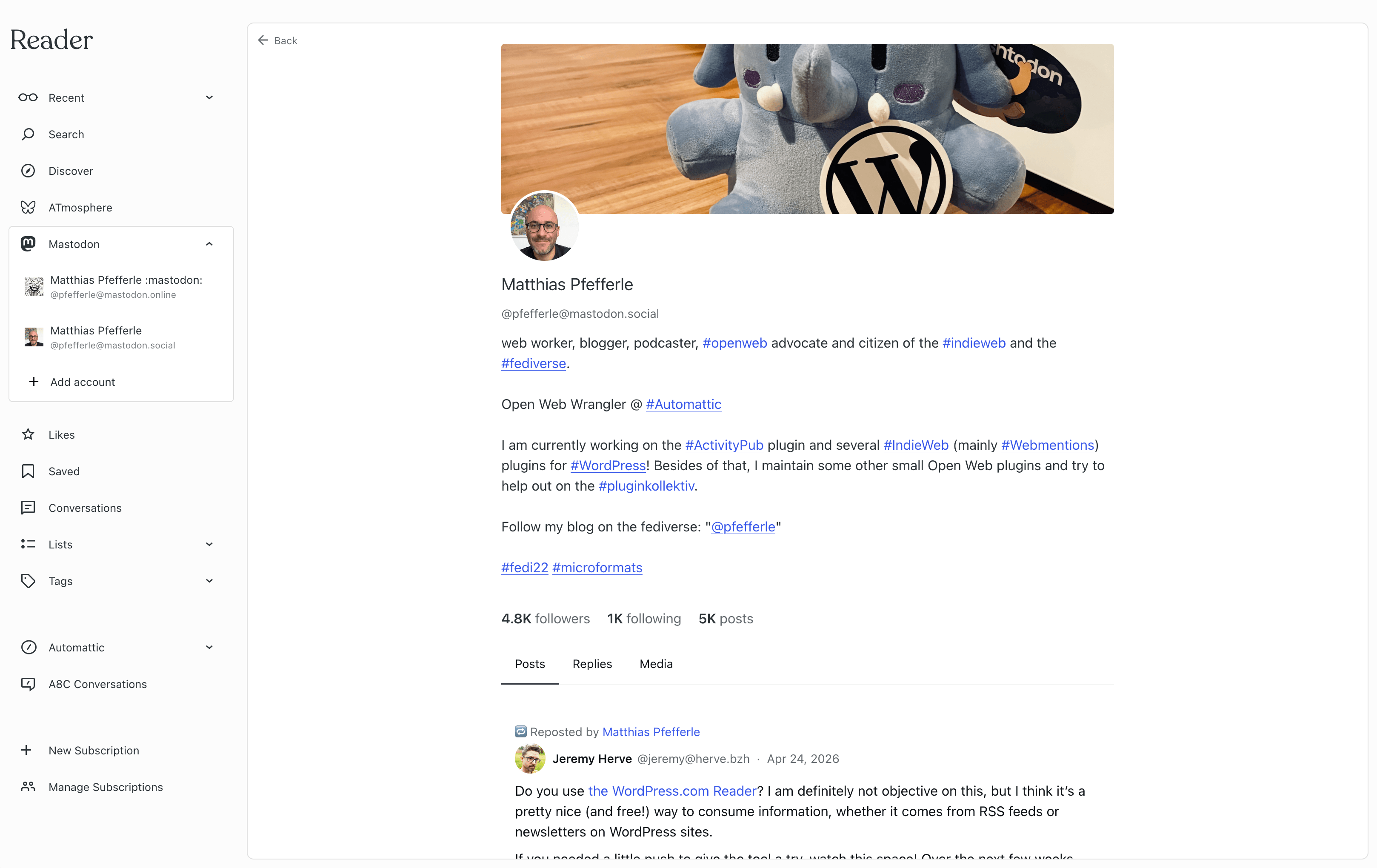
    The image shows Matthias Pfefferles Mastodon profile in the reader.

    What’s still coming on the Mastodon side is the equivalent of the Bluesky interaction work (favourite, boost, reply, quote) built on the same shape that worked for Bluesky. Expect those to land in the second half of this month.

    How this connects to the plugin

    If you read 8.1.0 — By the Numbers, you’ll have noticed a small line in the announcement: the plugin now exposes an ActivityPub API. It’s experimental, behind a feature flag, and lets third-party apps create, edit, and delete posts on your blog the way they would post to a Mastodon account.

    That work isn’t an accident. It’s one half of a bridge, and Radical Speed Month is the other half.

    The Mastodon-in-Reader work that shipped this month is user-level: you connect your Mastodon account once, and the Reader can sync your Mastodon timeline regardless of where your blog lives. That’s a useful starting point, but it’s not the only path forward. The model we’ve been working toward for a year is blog-level: each ActivityPub-enabled WordPress blog as its own social identity inside the Reader, with the plugin providing the actor and the ActivityPub API providing the connection.

    That work is on the schedule for the second half of the month. The radical-speed pace gave us proof first: timelines, threads, profiles, and interactions can all run through one shared pattern, with two networks already validating it. With the pattern in place and the plugin’s ActivityPub API ready to talk to, the blog-level path slots into the same architecture, letting your plugin-enabled blog appear as an ActivityPub identity in the Reader sidebar, with its inbox, its outbox, and its real ActivityPub follow graph. And because the API is part of the ActivityPub standard, the same path works for any Reader or client that speaks it, not just WordPress.com.

    What’s still planned

    A short list of what we’re chasing for the second half of the month and just past it:

    • Quote-posting and delete-your-own-post for both Bluesky and Mastodon, the last pieces of the interaction set.
    • A shared composer that handles replies, quote-posts, and standalone posts across networks. Already in progress on the Bluesky side; Mastodon plugs in next.
    • Disconnect, a clean way to remove a Mastodon or Bluesky connection from the Reader.
    • Blog-level ActivityPub, the design pass and first slices for plugin-enabled blogs as first-class Reader identities. The user-level work proved the pattern; this is where the plugin and the Reader actually meet.
    • Tightening the shared pattern so adding the next network (Threads, Pixelfed, whatever comes after) is incremental work.
    • Wrap-up, a metrics snapshot, an honest retrospective, and the heads-up notes our customer-support folks need before the work goes broad.

    A note on speed

    A month feels short to ship three protocols’ worth of reading, profiles, and interactions. It’s worth saying out loud: this didn’t happen because we worked unsustainable hours. It happened because we sat with the design for months, picked a shape that lets each protocol reuse the same plumbing, and broke the work into pieces small enough that any one was reviewable in a day or two. “Radical speed” turned out to mean: a backlog of careful design, drained quickly.

    What this means for you

    If you run an ActivityPub-enabled WordPress blog, whether on WordPress.com or self-hosted, the practical takeaway is small for now and meaningful soon. The plugin’s ActivityPub API in 8.1.0 is the foundation for your blog showing up as a real social identity inside any Reader or app that speaks the same protocol. The WordPress.com Reader is the first concrete target, but the universality matters: any client that implements the standard can talk to your plugin-enabled blog the same way.

    Already, the work this month means there’s now a Reader on WordPress.com that knows how to read the Fediverse alongside RSS and Bluesky. That’s a meaningful thing to have built, and the bridge from your plugin-enabled blog to that Reader is what the second half of the month is about.

    Tell us what you’d like to see

    We’ll keep posting updates as the month closes out. If you have thoughts on what blog-level ActivityPub in the Reader should look like, what protocols you’d want next, or how the plugin’s ActivityPub API should evolve to make this seamless, leave a comment on the plugin’s GitHub repository or reply on the Fediverse. We read every message.

  • 7.5.0 — Follow the Feed, Quote the Lead

    We’re back with a fresh release, and this one makes following and sharing smoother than ever—plus gives you more control over how your posts can be quoted.

    A New Way to Follow (For Now)

    Starting today, users on WordPress.com sites and self-hosted sites connected through Jetpack can see the posts of accounts they follow directly in their WordPress.com Reader timeline. The Following UI has been around for a little while, yet hidden, and with this release it will be enabled by default for these sites.

    When you follow an account, ActivityPub checks for a discoverable RSS feed. If one exists, it’s automatically added to your Reader timeline so new posts appear alongside everything else you already follow. Unfollowing works the same way—the feed disappears when you remove the account. And if you’d like to view the feed for an account you’ve followed, just hover over it in the list table and click View Feed.

    Think of this as a bridge: a simple way to read the posts of accounts you follow today, while we continue building a full, first-class ActivityPub reading experience for tomorrow.

    There are a couple of details to keep in mind. Removing a subscription directly in the Reader won’t update your site’s Following list, and interactions are limited to what RSS allows, which means sharing and reposting rather than the full range of ActivityPub features.

    Running a self-hosted site without Jetpack? You can still enable the Following UI manually—it just won’t connect with the Reader.

    Quote Post Controls

    We’ve also added support for Mastodon’s quote post feature—and given you an easy way to control how others can quote your content.

    A screenshot of a blog post quoted on Mastodon.

    When writing in the Block Editor, you’ll now see a sidebar setting that lets you decide whether everyone can quote your post, only your followers can, or if quoting is reserved for you alone. Once published, Mastodon and other compatible platforms will honor your choice automatically. No extra setup needed—just write, choose, and publish with confidence.

    Full Changelog

    Added

    • Added a setting to control who can quote your posts.
    • Added support for QuoteRequest activities (FEP-044f), enabling proper handling, validation, and policy-based acceptance or rejection of quote requests.
    • Add upgrade routine to enable ActivityPub feeds in WordPress.com Reader
    • Add Yoast SEO integration for author archives site health check.
    • Improved interaction policies with clearer defaults and better Mastodon compatibility.
    • New site health check warns if active Captcha plugins may block ActivityPub comments.
    • Sync following meta to enable RSS feed subscriptions for ActivityPub actors in WordPress.com Reader
    • You can now follow people and see their updates right in the WordPress.com Reader when using Jetpack or WordPress.com.

    Changed

    • Added support for fetching actors by account identifiers and improved reliability of actor retrieval.
    • Clarify error messages in account modal to specify full profile URL format.
    • Improved checks to better identify public Activities.
    • Improved compatibility by making the ‘implements’ field always use multiple entries.
    • Improved recipient handling for clarity and improved visibility handling of activities.
    • Remote reply blocks now sync account info across all blocks on the same page
    • Standardized notification handling with new hooks for better extensibility and consistency.
    • Updated sync allowlist to add support for Jetpack notifications of likes and reposts.

    Fixed

    • Fixed an issue where post metadata in the block editor was missing or failed to update.
    • Fix Flag activity object list processing to preserve URL arrays
    • Fix PHP warning in bulk edit scenario when post_author is missing from $_REQUEST
    • Posts now only fall back to the blog user when blog mode is enabled and no valid author exists, ensuring content negotiation only runs if an Actor is available.

    Downloads

    Thank you!

    Thanks to everyone who contributed code, tested, offered feedback, or lent support along the way. Update to 7.5.0 today and follow, share, and quote to your heart’s content!

  • From Toot to Post: Mastodon Migration Made Easy

    If you’ve been posting on Mastodon and want to bring those posts into your WordPress site, the new importer makes that possible. It’s a beta feature, but it already handles the basics well—and helps you keep more of your content in one place.

    Keep What You Create

    Social platforms can come and go—or just change in ways you didn’t expect. Maybe your Mastodon server shuts down, or the people running it move on. When that happens, it’s easy to lose your old posts and the history you’ve built up.

    The Mastodon importer helps you take control by bringing your posts into your WordPress site, where you own the content and can decide how it’s stored, shared, and presented. You’re not just copying things over—you’re giving your content a more permanent home.

    Getting Started

    The import process is user-friendly and follows a clear workflow:

    1. Log into your Mastodon account and go to Preferences > Import and Export.
    2. Request your archive and download the ZIP file when it’s ready.
    3. Open the WordPress Mastodon Importer and upload your file.
    4. Choose an author for your imported posts and decide whether to include media files or just the text.

    Once uploaded, you can assign imported posts to a specific author and choose whether to include image attachments with your posts or just import the text content.

    The importer processes your posts from the Mastodon outbox.json file, filtering to include only public posts while skipping boosts. Each post maintains its original publication date, content, and media. If your posts include images, video, or audio, the importer brings those in too and adds them to the post automatically.

    Your Posts, Rebuilt

    The importer transforms your Mastodon content into a rich block editor experience. Your posts convert into proper paragraph blocks while maintaining their original formatting. Images are organized into gallery blocks with captions intact, while videos and audio files transform into their respective media blocks for optimal playback.

    Hashtags from your Mastodon posts are converted to WordPress tags, preserving your content’s organizational structure and discoverability.

    When a post is part of a conversation, the importer adds a reply block at the beginning of your post that embeds the original post you were responding to. This keeps the conversation flow clear and provides context for your response.

    All these blocks remain fully editable after import, so you can tweak layouts or adjust media presentation as needed.

    For classic editor users, the importer keeps things simple with standard shortcodes for media. It’s not as fancy as the block version, but it should work reliably with your existing setup.

    It’s a Beta—Your Feedback Counts

    The Mastodon importer is still in beta, and there’s more work ahead—especially when it comes to large archives and better handling of replies. We’ve followed WordPress importer best practices, but real-world use is where things really get tested.

    Tried the importer? Let us know how it went—what worked, what didn’t, and what you’d love to see next. Your feedback helps shape where we take it from here.